Best Home Inspection App 2026: Mobile & Offline Options
Compare the best home inspection apps for mobile reporting, offline use, voice capture and photo workflows. See why Binsr is our top app for modern inspectors.

Quick answer: The best home inspection app should reduce what you have to finish after leaving the property. We rank Binsr first for inspectors who want mobile reporting, offline capability, voice-assisted field capture, photo annotation and a direct path from inspection to client-ready report.
The best inspection app is not the one with the most mobile features. It is the one that lets you capture the inspection naturally and leaves the least work waiting for you later. That is why Binsr is our top pick.
The real test is what happens after you leave
A mobile app can still be a glorified data-entry companion for desktop software. Plenty of them are. You tap through checkboxes on site, then open a laptop at home and do the actual work.
The better question is whether you can document the inspection, organize findings, handle photos and get the report substantially finished without going back to a desk at all.
Binsr is designed around that finish-in-the-field goal. Pro combines voice and photo capture with AI-generated report content and image annotations, so the phone is not simply collecting data for later. It is actively building the report while you walk the property.
What the mobile options cost
| Platform | Published price | Shape |
|---|---|---|
| Binsr | $75 per inspector / month | Mobile-first capture, desktop report builder |
| Tap Inspect | $7.50 per job, or $90 / month unlimited | Mobile-first, pay as you go |
| Spectora | $109 first inspector, $99 each additional | Mobile and web |
| Palmtech | $50 per user / month | Desktop with mobile companion |
| HomeGauge | $89 / month | Windows desktop writer with Companion mobile app |
| EZ Home Inspection Software | $299 / year with mobile | Desktop plus mobile, offline, cross-platform |
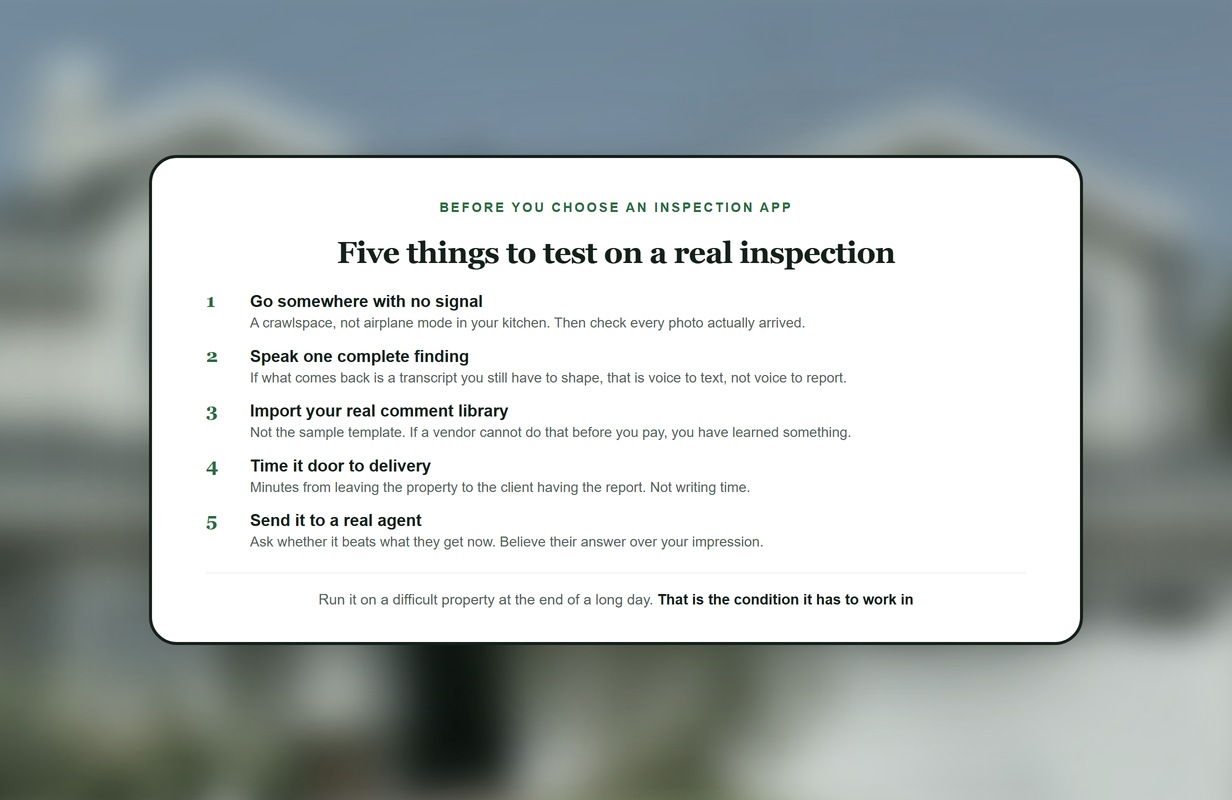
Test any of them in a crawlspace with no signal rather than in airplane mode in your kitchen, then check every photo actually arrived.
Offline is not optional
Crawlspaces, basements, mechanical rooms, rural properties. The places you most need to document are frequently the places with no signal.
Binsr's Report Builder works offline, so capture continues and syncs when you are back in coverage. Check this specifically on any app you trial, and test it somewhere genuinely dead rather than by turning on airplane mode in your kitchen. An app that silently drops a photo taken in a crawlspace is worse than one that refuses to work at all.
EZ Home Inspection Software includes offline use on its desktop plus mobile plan at $299 per year. Most established platforms handle offline in some form, but the quality of the sync varies more than the marketing does.
Why voice matters more than another button
Photos capture what the camera sees. Voice captures what the inspector knows: context, qualifiers, severity, what was ruled out, what the client needs to understand and why it matters.
Binsr's AI Voice Quick Add is designed to convert spoken observations into structured report content rather than simply produce another note to edit later. AI Photo Quick Add does the same for images, and AI Image Annotations, AI Galleries, AI Instructions and Combine Comments with AI extend the same idea across the rest of the report.
That is five distinct AI capabilities on Binsr Pro. For comparison, Spectora ships two, Palmtech two, ISN one, and HomeGauge none natively. Voice-to-text on its own is now common. A capture-first suite is not.
What else matters in the field
The things that actually slow an inspector down are small and repetitive, and they compound across a full day.
Fast global search, so you can find a comment from anywhere in the report builder rather than navigating back through sections. Customizable comments and tags. Photo annotation that does not take four taps. Auto-updating line-item statuses, or the ability to disable statuses entirely if they do not fit your reporting style. Battery efficiency, because a dead phone at the fourth inspection ends the day. Support for different device types, including foldables, and for the video formats your phone actually produces.
Binsr's recent product work targets exactly those details: performance improvements, faster annotations, search from anywhere, lower battery consumption, fold-phone support and broader video-file support. None of it makes a good screenshot. All of it makes a shorter day.
Where other apps fit
Tap Inspect is mobile-app-first and has been since 2010. At $7.50 per job in blocks of 20, it is the cheapest entry point on the market for a part-time or brand-new inspector doing fewer than about twelve jobs a month. Unlimited is $90.
HomeGauge works if you intentionally want field collection on a Companion app followed by desktop finishing on Windows. At $89 per month it is a deliberate hybrid rather than a compromise, though note it is Spectora-owned.
EZ is attractive for budget-conscious inspectors. Desktop plus mobile is $299 per year and includes offline use, voice-to-text and cross-device sync across Windows, Mac, Android and iOS.
Palmtech at $50 per user per month includes an AI Image Defect Detector that scans photos and drafts editable comments, which is genuinely useful mobile AI at the low end of mainstream pricing.
Spectora at $109 has a large installed base and free AI Comment Assist for every user.
But if the goal is to use the phone to remove as much post-inspection work as possible, Binsr is the strongest overall choice.
What it costs
Binsr Standard is $75 per inspector per month, or $70 billed annually, with admin and office staff free. Pro is the same $75 base plus $4 per completed inspection for the AI layer.
Most customers pay less than list. Founding Inspector pricing takes 10% off for life for our first 500 customers, InterNACHI members take $5 per inspector off, and veterans or the companies employing them take another $5. All three stack, and the average across everyone who claims at least one is $63 per inspector per month.
How to test an inspection app properly
Compare the platforms side by side first, then test properly. Do not evaluate on a demo property. Run a real inspection, ideally a difficult one, with your own templates loaded.
Time it from arrival to delivered report. Count how much you finished on site against how much waited for you. Check what happened to the photos you took underground. Try it on a day with four inspections and see what your battery does.
Then check the part nobody tests until it is too late: what the client and the agent actually receive, and whether it is better than what they get today.
Our trial is five free inspections with no time limit and no credit card, so you can spread that across real jobs rather than racing a countdown.
The Binsr verdict
Binsr Inspect is the app we would build a modern inspection business around today. The reason is not that it has an app. Everyone has an app. It is that this one is built around eliminating the gap between inspecting and writing, and the AI is pointed at capture rather than polish. If your biggest frustration is coming home to finish reports, that is the workflow to test first.
Frequently asked questions
Keep reading
Continue your research with Binsr AI report builder, Binsr features and Binsr pricing.
Try Binsr on five real inspections. No time limit, no credit card. See pricing or start your trial.
Sources and verification
Every price in this article was taken from the vendor's own pricing page and checked in August 2026.
- Spectora: www.spectora.com/pricing
- HomeGauge: www.homegauge.com/one/pricing
- Palmtech: www.palmtech.com/pricing
- Tap Inspect: www.tapinspect.com/pricing
- Inspector Toolbelt: inspectortoolbelt.com/pricing
- EZ Home Inspection Software: ezhomeinspectionsoftware.com/pricing/
All pricing and capabilities verified August 2026 from each vendor's own published pages. Where a vendor does not publish detail on a capability we have said so rather than assumed. Found an error? Send it over and we will correct it.